
SMTP relay that just delivers
Plug your app, CMS or marketing tool into smtp.sendorx.com and start sending transactional and marketing email through a high-deliverability relay — without changing how your app sends mail today.
Why send through SendorX SMTP?
Industry-grade deliverability and observability without the relay-hosting headaches.
Inbox-first deliverability
SPF, DKIM and DMARC handled at the relay, with automated reputation tracking across major mailbox providers.
Scale on demand
Queueing absorbs traffic bursts so your app never blocks on the relay. Throttle per-domain, per-IP or per-tag.
Real-time logs & events
Per-message status, bounce reasons and engagement events streamed to webhooks within seconds.
Dedicated & shared IPs
Start on shared IPs. Move to a dedicated IP when your volume justifies it — we'll automate the warm-up.
Configure in three steps
Working SMTP relay in under five minutes — no code changes for most apps.
| Setting | Value |
|---|---|
| Server (host) | smtp.sendorx.com |
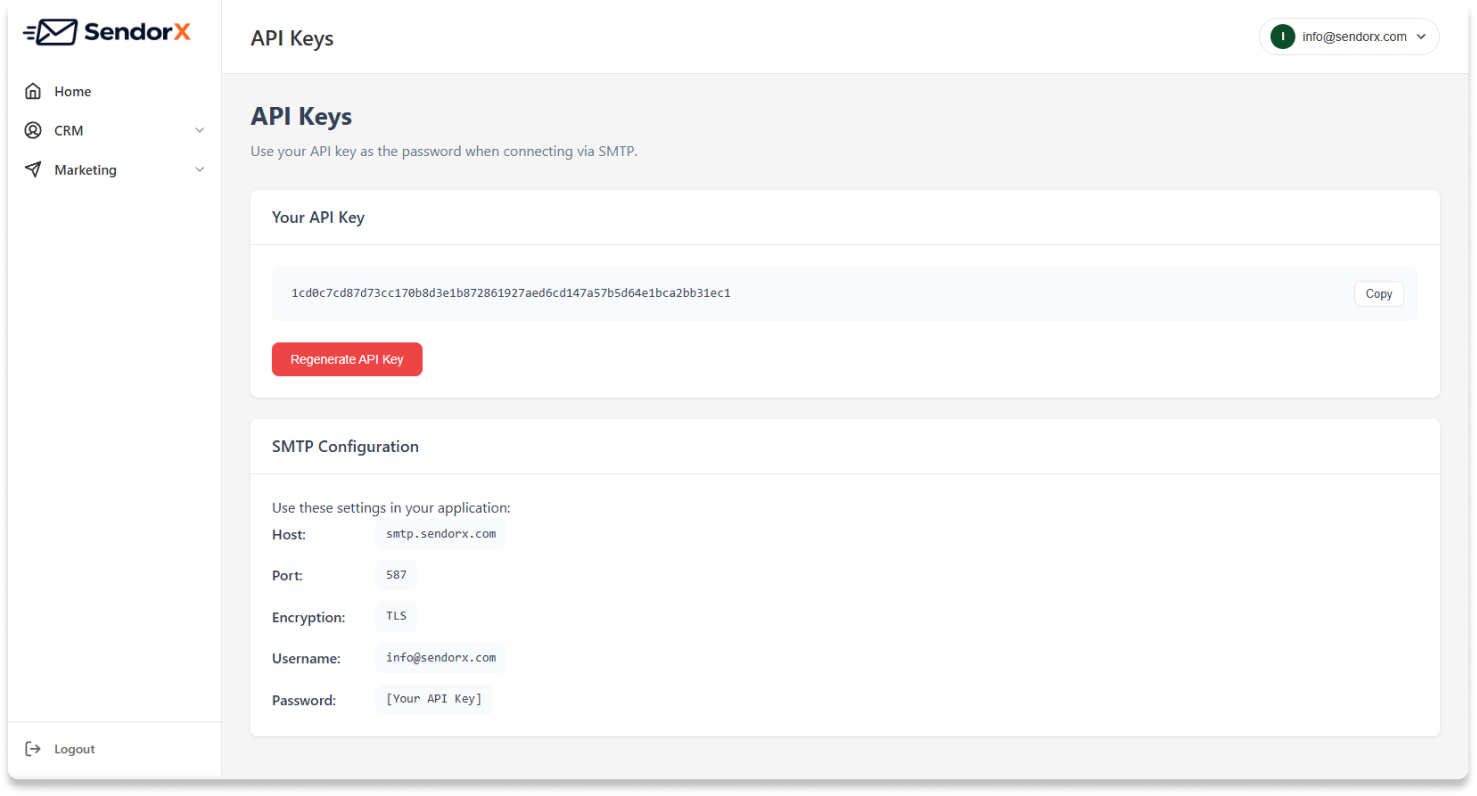
| Port | 587 (STARTTLS) · 465 (TLS) · 2525 (fallback) |
| Encryption | STARTTLS or implicit TLS |
| Username | Your account email (e.g. info@sendorx.com) |
| Password | Your SMTP key — generate one in the dashboard |
| Authentication | LOGIN or PLAIN |
# Send a test email via SMTP using swaks or curl-style smtp
swaks --to recipient@example.com \
      --from sender@yourdomain.com \
      --server smtp.sendorx.com:587 \
      --tls \
      --auth-user info@sendorx.com \
      --auth-password $SENDORX_SMTP_KEY \
      --header "Subject: Hello from SendorX" \
      --body "It works!"
// PHPMailer over SMTP use PHPMailer\PHPMailer\PHPMailer; $mail = new PHPMailer(true); $mail->isSMTP(); $mail->Host = 'smtp.sendorx.com'; $mail->Port = 587; $mail->SMTPAuth = true; $mail->Username = 'info@sendorx.com'; $mail->Password = getenv('SENDORX_SMTP_KEY'); $mail->SMTPSecure = PHPMailer::ENCRYPTION_STARTTLS; $mail->setFrom('sender@yourdomain.com', 'Your App'); $mail->addAddress('recipient@example.com'); $mail->Subject = 'Hello from SendorX'; $mail->Body = 'It works!'; $mail->send();
import os, smtplib
from email.message import EmailMessage

msg = EmailMessage()
msg['From']    = 'sender@yourdomain.com'
msg['To']      = 'recipient@example.com'
msg['Subject'] = 'Hello from SendorX'
msg.set_content('It works!')

with smtplib.SMTP('smtp.sendorx.com', 587) as s:
    s.starttls()
    s.login('info@sendorx.com', os.environ['SENDORX_SMTP_KEY'])
    s.send_message(msg)
// nodemailer over SMTP
const nodemailer = require('nodemailer');

const transport = nodemailer.createTransport({
  host: 'smtp.sendorx.com',
  port: 587,
  secure: false,
  auth: {
    user: 'info@sendorx.com',
    pass: process.env.SENDORX_SMTP_KEY
  }
});

await transport.sendMail({
  from: '"Your App" <sender@yourdomain.com>',
  to:   'recipient@example.com',
  subject: 'Hello from SendorX',
  text:    'It works!'
});
Built for both kinds of email
One relay, one set of credentials, two distinct workloads — handled correctly.
Transactional
Receipts, password resets, OTPs and order updates — sent the moment your app calls SMTP, with priority routing.
Marketing
Newsletters and campaigns sent at scale with throttling, suppression lists and per-recipient personalisation tags.
Notifications & alerts
Internal alerts, digests and system notifications — tagged for analytics and routed through dedicated IPs if you need them.